
If your organisation is partially VAT exempt, you can use Spindle Purchase Invoice Recognition to automatically recognise and calculate the recoverable VAT Amount on a Purchase Invoice line.
Spindle Purchase Invoice Recognition allows you to explicitly setup and configure your partial VAT exemption percentage and designate appropriate VAT Code(s) that support partial VAT exemption.
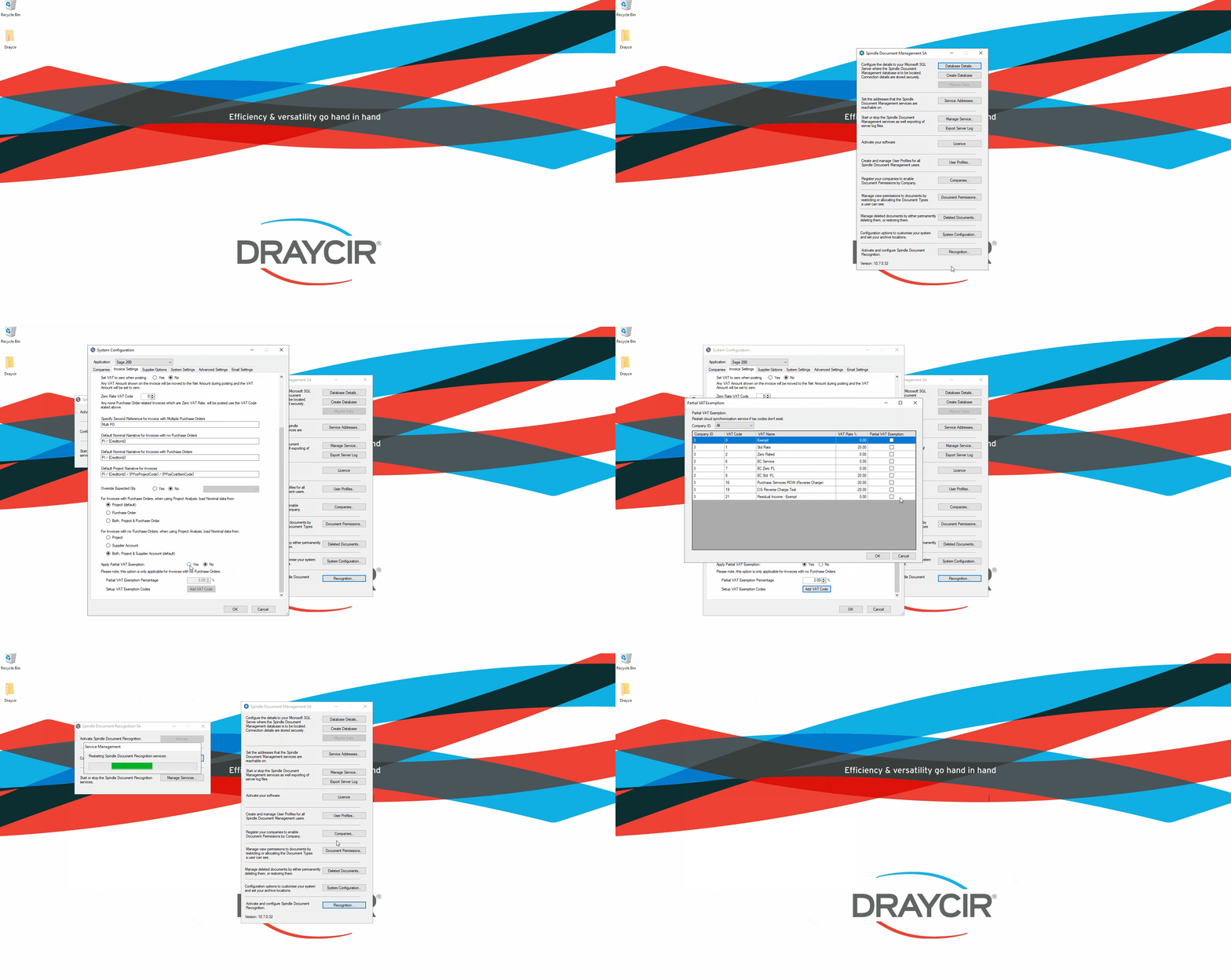
How to setup partial VAT exemption
- On the server, open the Spindle Document Management Server Administration tools
- Click on Recognition...
- Click on System Configuration...
- On the Invoice Settings tab
- Go to the Apply Partial VAT Exemption option
- Click Yes
- This will enable the two associated options Partial VAT Exemption Percentage & Setup VAT Exemption Codes
- For the Partial VAT Exemption Percentage option, either use the use the up/down arrows or enter the appropriate percentage value
- For the Setup VAT Exemption Codes click on the Add VAT Codebutton
- A new window will appear listing out all of the VAT Codes & Rates from your Accounting system
- Click and select the appropriate VAT Code in the Partial VAT Exemption column
- Click OK
- Click OK again on the Invoice Settings tab
- You will be prompted to restart the Spindle Purchase Invoice Recognition services. Note: The Draycir Cloud Synchronisation Agent must be restarted for the changes to take effect
 How to setup partial VAT exemption
Why can I not see the Apply Partial Vat Exemption options?
To benefit from this feature you must be on Spindle Document management version 10.7 or later.