
The Company Code represents the dataset id in your accounting system that the Purchase Invoice or Credit Note is to be posted into.
Spindle Purchase Invoice Recognition will look for a match on the Company Name between your accounting system and the Company Name shown on the Purchase Invoice or Credit Note.
If an exact match on the Company Name is found, the company will be populated in the Web Verify portal.
If an exact match on the Company Name is not found, the Company Code and Company Name fields will be left blank and you will need to either manually enter the Company Code or you will be able to lookup the Company Code from your accounting system (master data).
Select the Company Code manually
1. Click into the Company Code field
2. Press the F4 key on your keyboard to search for the Company Code in your accounting system (master data)
3. In the search bar at the bottom of the screen, you can leave the fields blank and click Search
4. Select the company that you would like to post the document into
Alternatively, if you know the Company Code, you can enter it manually.
Recognising your Sage 200 Company automatically
The goal is to configure Spindle Purchase Invoice Recognition to detect your Company automatically. If the Company Name on the Purchase Invoice or Credit Note varies from the Company Name held in your accounting system, you will need to set-up a Company Name Variation so that the system knows which company to map to.
Note: These changes are to be made on your server.
1. On the server, open the Spindle Document Management Server Administration tools
2. Click on Recognition...
3. Click on System Configuration...
4. On the Companies tab, select the company you want to map to and click Edit
5. Under Company Name Variations, click Add
6. Enter the Company Name as it appears on your supplier's Purchase Invoice or Credit Note
7. Click OK
8. Click OK again on the Companies tab
9. You will be prompted to restart the Spindle Purchase Invoice Recognition services. Note: The Draycir Cloud Synchronisation Agent must be restarted for the changes to take effect.
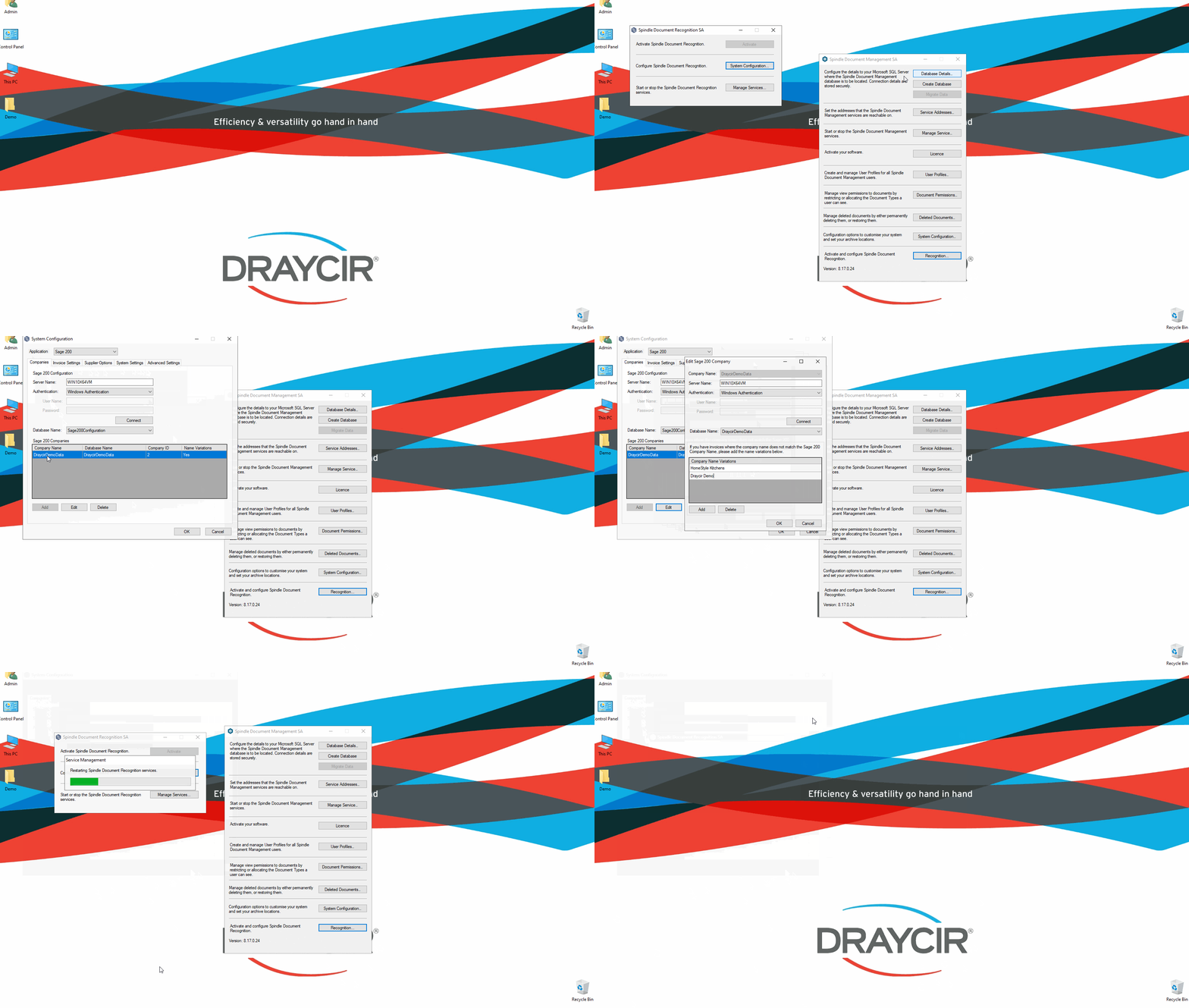 How to set up Company Name variations