
Spindle Purchase Invoice Recognition is able to recognise Purchase Invoice documents that are in ‘PDF’ or multi-page ‘TIFF’ formats.
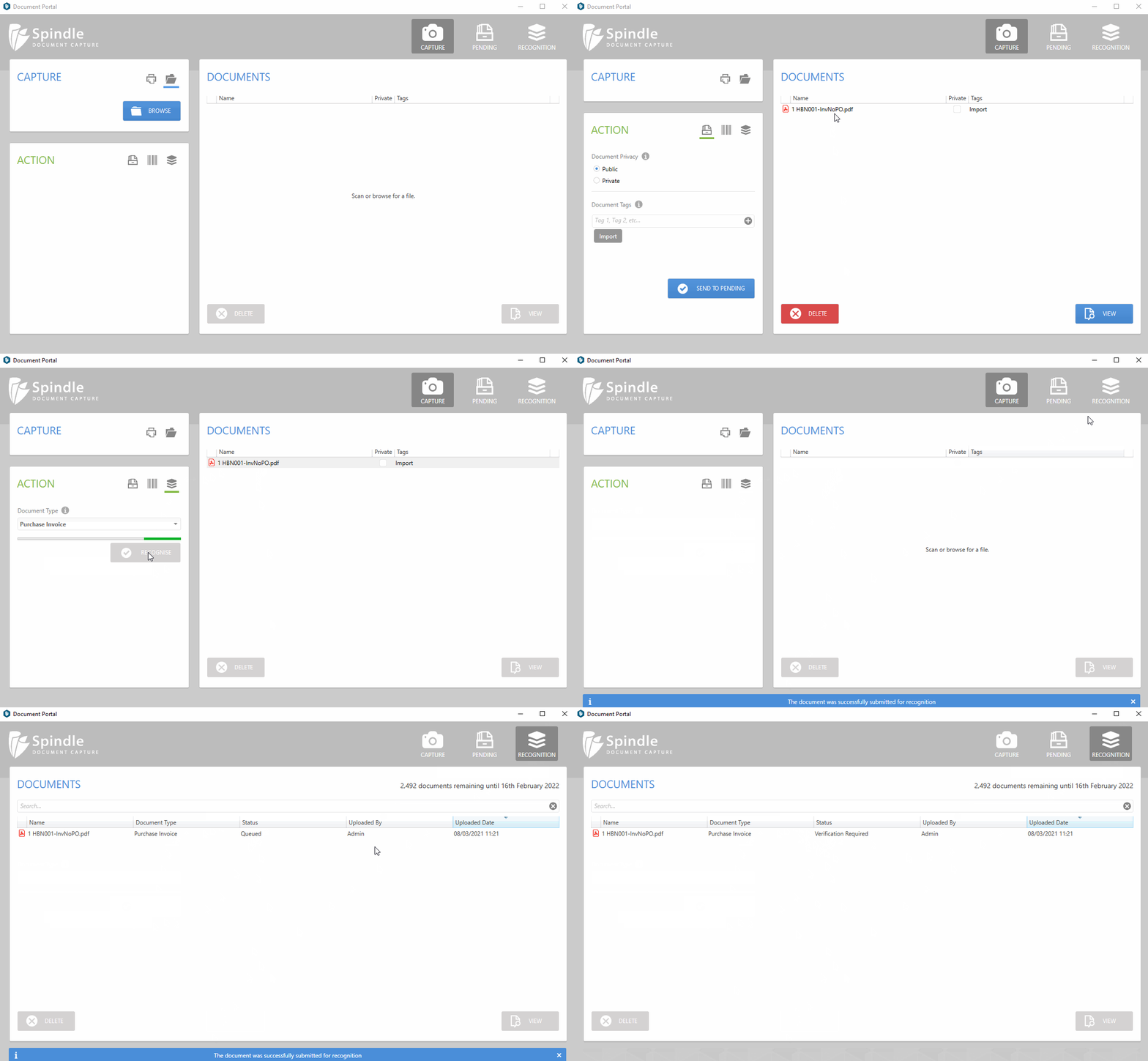
- Open the Document Portal
- You can either drag & drop (multiple electronic documents), scan (paper documents) or browse (electronic document) for your Purchase Invoices
- There is also an option to capture Purchase Invoice attachments from emails. Please contact Draycir support if you would like to enable this feature.
- In the Action panel click on the recognition tab (paper stack icon) highlighted below:
- Click RECOGNISE to submit the document for recognition
- Click on the RECOGNITION tab (paper stack icon) on the top-right of the Document Portal to view the documents progress
 How to send a Purchase Invoice for recognition