
When posting a Purchase Invoice, Spindle Purchase Invoice Recognition will check if the line items on corresponding Purchase Order(s) have been Goods Received (GRN) in Sage 200.
If the line items on the Purchase Order have not been Goods Received, the Purchase Invoice will fail to post with the following message shown in the Document Portal:
"You have not matched some or all of the invoice quantities to receipts. Please Confirm Goods Received in Sage for the item(s) on the invoice and then select the Post button below."
Once the line items on the Purchase Order have been goods received, you can click the 'Post' button to retry posting without having to upload the document for recognition again.
Disable GRN check when posting Purchase Invoices into Sage 200
You have the option to disable the GRN check.
Note: This will require you to make a configuration change on your server.
1. On the server, open the Spindle Document Management Server Administration tools
2. Click on Recognition...
3. Click on System Configuration...
4. Click on the Advanced Settings tab
5. Go to the ‘Skip Goods Receipt Notification (GRN) Check’ option and select option 1:
- Post Without GRN
- Do Not Post Without GRN
6. Click OK
7. You will be prompted to restart the Spindle Purchase Invoice Recognition services. Note: The Spindle Document Recognition Post Agent must be restarted for the changes to take effect.
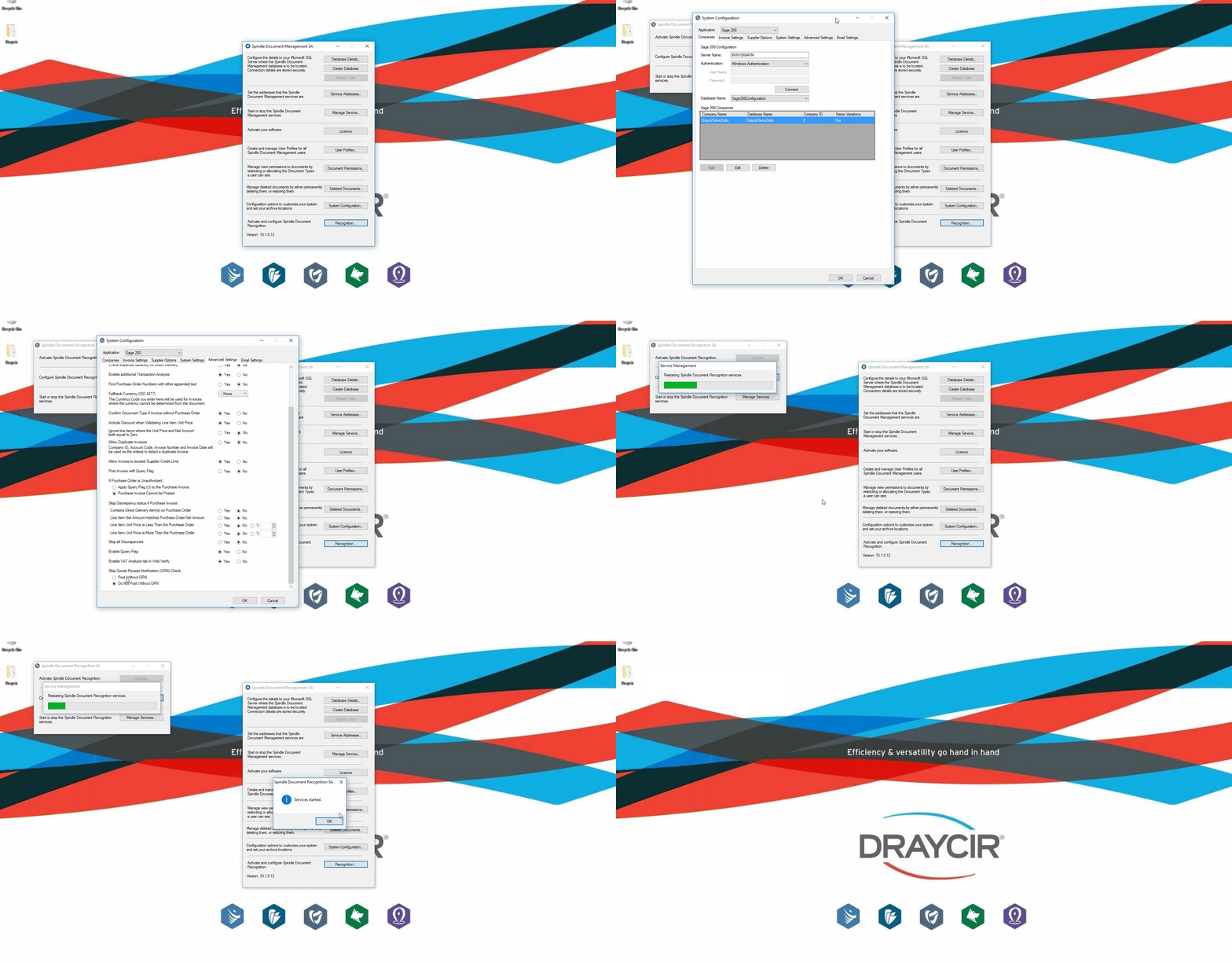 Server Administration - Post Without Goods Received Notification
This option resides in the Spindle Document Management Server Administration tools on your application server.
Note: To benefit from this feature you must be on Spindle Document Management version 10.1 or later.