
Spindle Purchase Invoice Recognition is able to recognise Purchase Invoice & Credit Note documents that are in ‘PDF’.
- Open the Document Portal
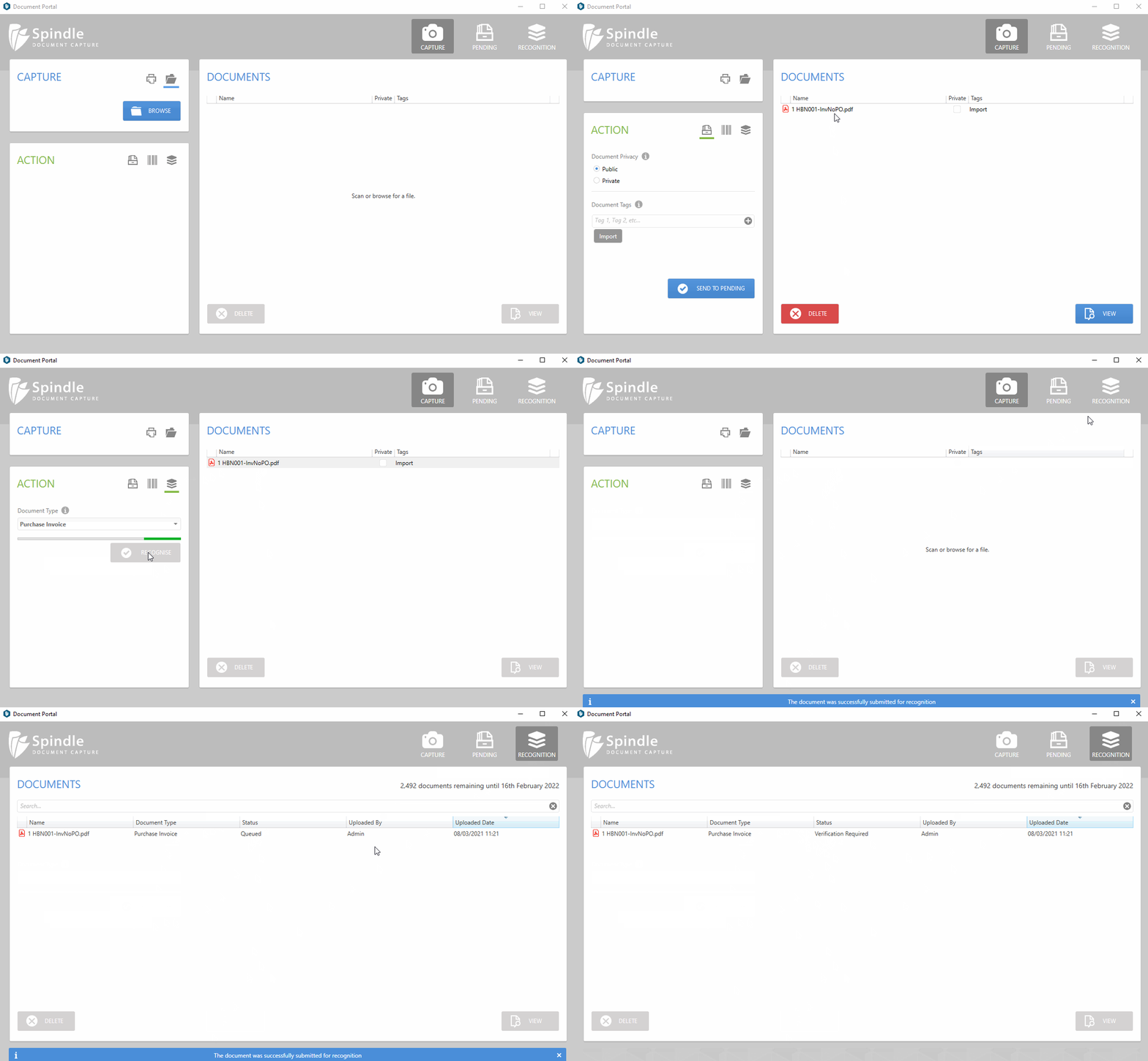
- You can either drag & drop (multiple electronic documents), scan (paper documents) or browse (electronic document) for your Purchase Invoice and/or Credit Note documents
- There is also an option to capture Purchase Invoice & Credit Note attachments from emails. Please go to the Send Email Attachments for recognition for more information.
- In the Action panel click on the recognition tab (paper stack icon) highlighted below:
- Click RECOGNISE to submit the document for recognition
- Click on the RECOGNITION tab (paper stack icon) on the top-right of the Document Portal to view the documents progress
 How to send a Purchase Invoice or Credit Note for recognition