
When your document shows a status of 'Failed to Post', 'Discrepancy' or 'Request Rejected', you can re-open the document in Web Verify to review the recognised data and make any necessary amendments.
- Open the Document Portal
- Click on the RECOGNITION tab (paper stack icon) on the top-right of the Document Portal to view the documents progress
- Select the document you would like to re-open
- Click on the RE-OPEN button
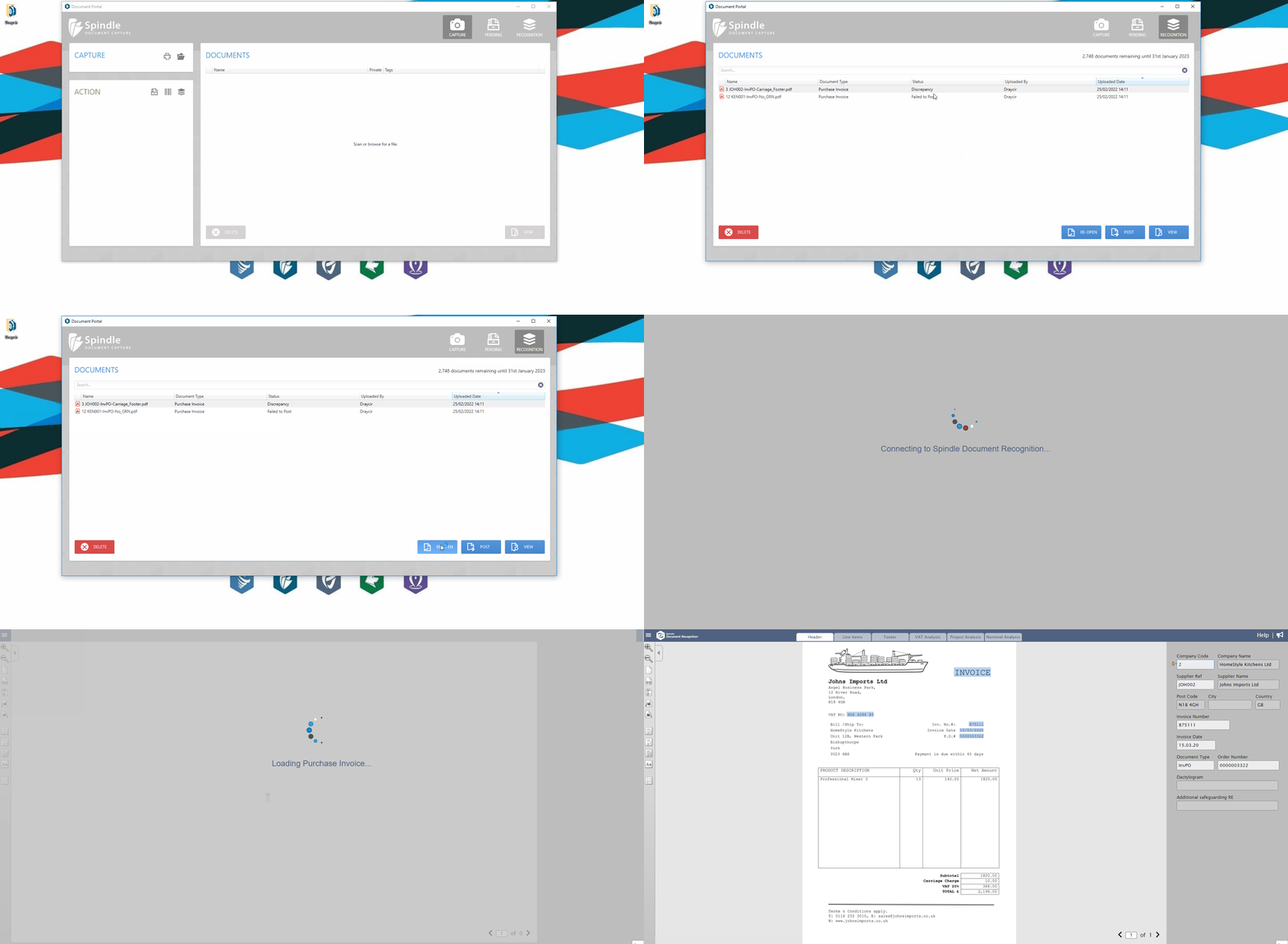 How to re-open a Purchase Invoice
Why can I not see the RE-OPEN button?
You will only see the RE-OPEN button for documents that have a status of 'Failed to Post', 'Discrepancy' or 'Request Rejected'.
Note: To benefit from this feature you must be on Spindle Document Management version 10.2.1 or later
Note: To benefit from this feature you must be on Spindle Document Management version 10.2.1 or later